A Complete Solution
ResorsIT gives you a complete change history, change detection, and an undo for your DNS configuration across all your providers — GoDaddy, Cloudflare, DigitalOcean, AWS Route53, and many others — from a single dashboard.
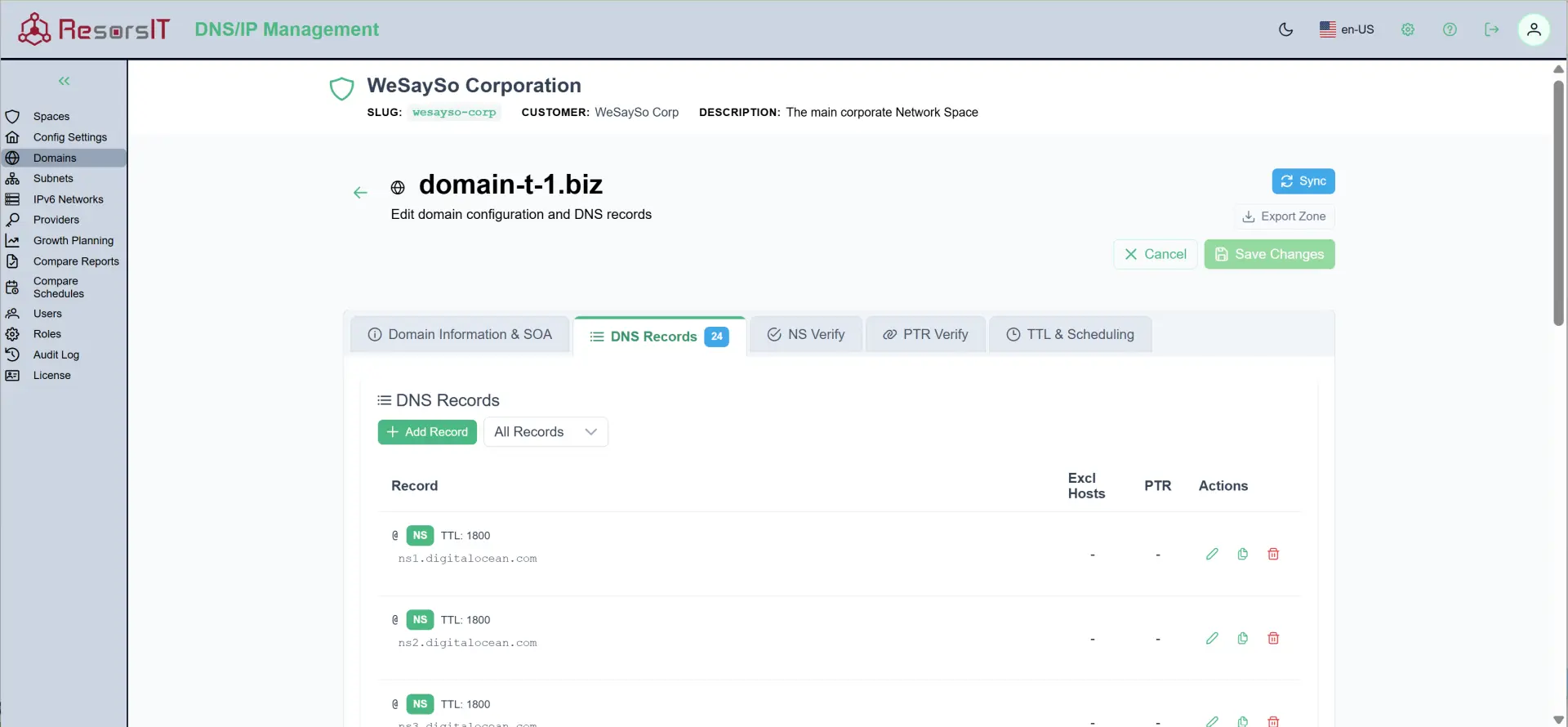
Audit Trail and Change History
Every change to every DNS record is logged with a full audit trail — who made the change, when it was made, and what the previous values were. You can compare a domain’s configuration between any two points in time, and restore a previous value in a few clicks. No more guessing what a record used to be.
Change Detection and Alerts
ResorsIT monitors your DNS configuration and detects changes, including changes made directly at the provider outside of ResorsIT. When a record is added, modified, or deleted, designated team members are notified so unexpected changes are caught early — before they cause outages or email delivery failures.
Comparison Reports
Compare your domain’s DNS configuration between any two points in time. Additions, deletions, and modifications are highlighted clearly, so you can see exactly what’s different. This is particularly useful after a migration, provider change, or when troubleshooting an issue that started “sometime last week.”
User Identification and Accountability
Every edit is tied to a specific user — username, role, and context. When multiple people manage DNS (internal teams, contractors, MSP staff), knowing who changed what eliminates finger-pointing and makes incident response faster.
Report Generation
Generate on-demand reports covering specific time periods, domains, or record types. Use them for compliance audits, change reviews, or to hand off to a colleague who needs to understand what happened while they were out.
Supported DNS Providers
ResorsIT integrates with a wide range of DNS providers. You don’t need to change providers or migrate — ResorsIT connects to your existing setup:
- Cloudflare
- AWS Route53
- GoDaddy
- DigitalOcean
- And many others
If your provider supports API access, ResorsIT can likely work with it. Contact us if you don’t see yours listed.
For a deep dive on DNS Change Management and Record Types, click here.
To see screen shots and a video demo, click here.

IPv4 and IPv6 Address Management
ResorsIT also manages your IPv4 and IPv6 address space.
Visual subnet management with hierarchical organization
Gone are the days of deciphering CIDR notation in spreadsheets. ResorsIT gives you a visual presentation of your network architecture with hierarchical subnet trees that show exactly how your address space is organized. Split subnets with a click, track VLAN assignments automatically, and see available space at a glance.
Automatic conflict prevention
When you create a new subnet, ResorsIT automatically validates it against your entire network, checking for overlaps and ensuring proper hierarchy before the change is saved.
IPv6 Made Manageable
-
Five-Level Hierarchy Tracking: From RIR allocations down to individual segments, visualize your entire IPv6 infrastructure.
-
Sparse Allocation: IPv6 address space is vast — ResorsIT helps you allocate it in a way that leaves room to grow without creating gaps you’ll need to manage later.
-
RFC-Compliant ULA Generation: Generate properly randomized Unique Local Addresses
Real-World IP Management
ResorsIT IPAM understands that networks exist in the real world, not just in diagrams:
-
Live Subnet Tracking: Mark subnets as active, reserved, or deprecated. Track which are actually configured on routers versus planned allocations.
-
VLAN Integration: Automatically associate VLANs (1-4094) with subnets. See which VLANs are in use across your infrastructure.
-
Supports Multiple Network Spaces: Manage multiple isolated routing domains - perfect for mergers, acquisitions, or MSP operations. Each Network Space maintains independent RFC 1918 and ULA space.
Get more details here.
Customer Login
If you already have an account, login here.