Late on a Friday, someone updated an MX record. Mail kept flowing for a few hours because the old value was still cached around the internet, and then it quietly stopped. By Monday morning there was a queue of missed messages, an unhappy customer or two, and no obvious suspect: the change had gone in three days ago, nothing was written down, and whoever made it was no longer sure what the old value was.
The repair usually takes minutes. Working out what changed, when it changed, and what it used to be is what takes hours. DNS change management closes that gap. It is the same discipline our founders spent decades applying to industrial control systems, where an undocumented change to a controller can stop a production line: record every change, know who made it, keep every prior value, and make recovery a lookup instead of an investigation.
Few things in your stack deserve this treatment more than DNS. Websites, email routing, and security controls like SPF, DKIM, and DNSSEC all hang off a set of records that many different hands touch during application deployments, server migrations, and provider moves. If you want a refresher on the records themselves, see our guide to DNS record types.
DNS Change Management in ResorsIT
Every Change Is Recorded
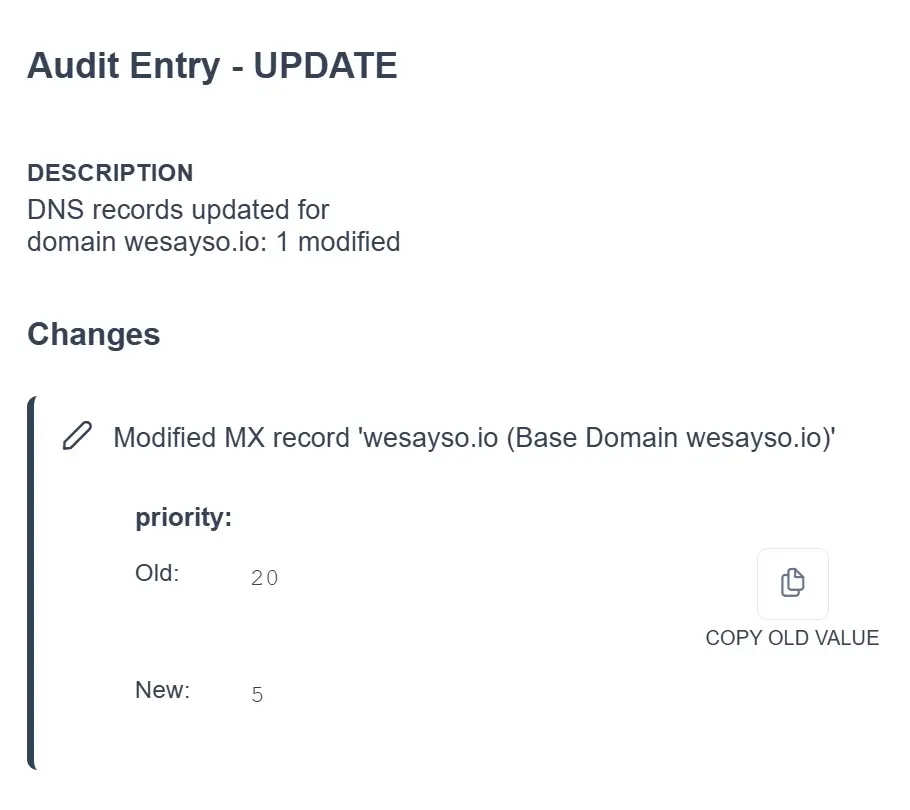
ResorsIT logs every DNS change as it happens: the record affected, the new value, the value it replaced, a timestamp, and the user who made the change. There is no separate step to remember and no spreadsheet to fill in; if a change went through ResorsIT, it is in the audit log. Configurable role-based access controls who can make changes in the first place, so accountability starts before a change rather than after it.
Unauthorized Changes Are Detected
Not every change comes through the front door. ResorsIT runs scheduled compare reports against your DNS providers and flags any difference between what is actually published and what your configuration of record says. Changes made directly in a registrar or provider console, whether by a well-meaning colleague or by someone who should not have access at all, show up as discrepancies with alerts sent to the people you designate.
Changes Are Made Safely
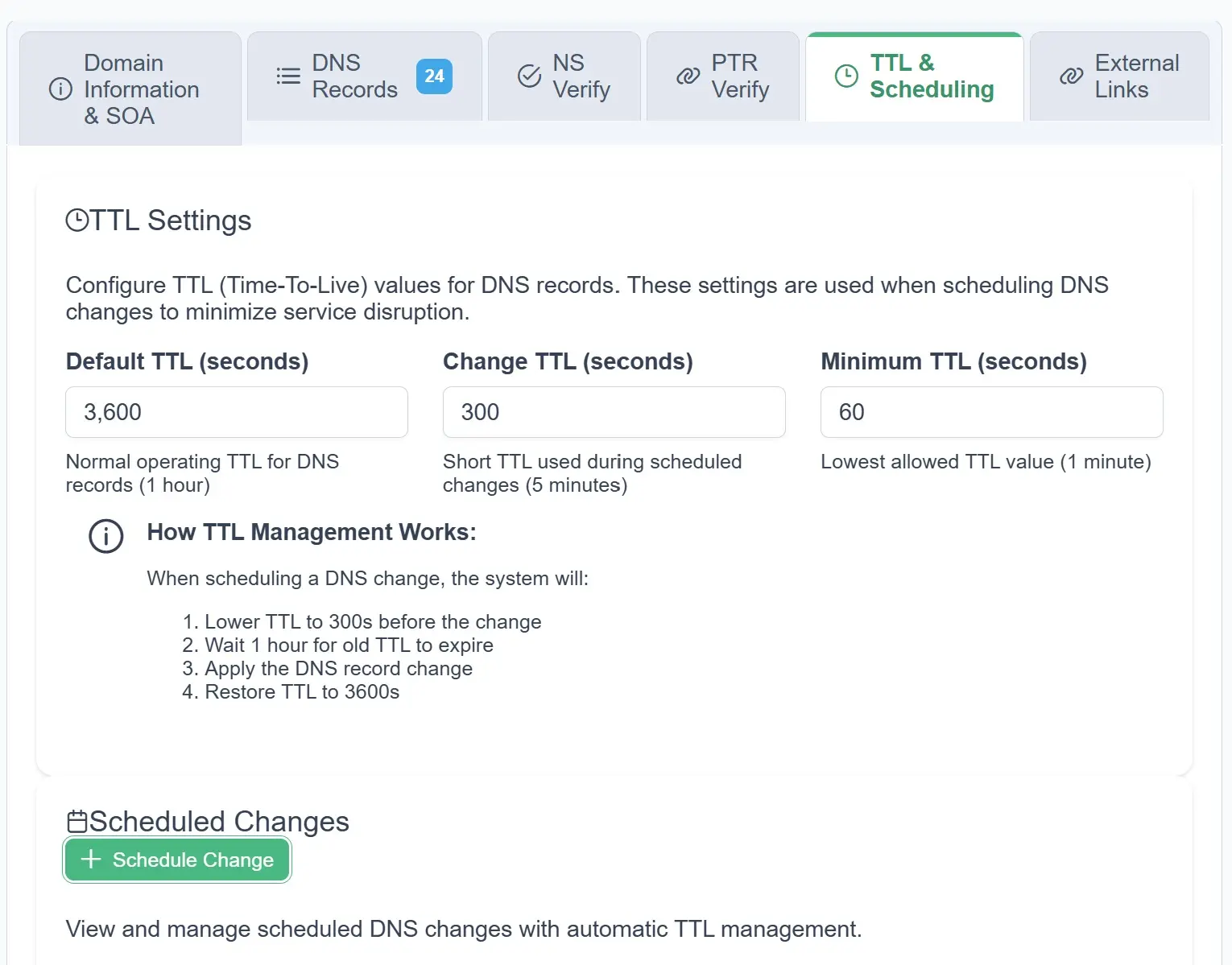
Much of the risk in a DNS change is timing: resolvers cache the old value for the length of the TTL, so a mistake can take hours to surface and just as long to correct. ResorsIT can schedule a change so the TTL is lowered first, wait for caches to clear, and then apply the new value automatically at the time you chose. The change lands quickly, and if something is wrong you find out in minutes instead of after the weekend.
Reports Stand Up to Audits
Reports summarize change activity over any period, by user or by record type, and export for internal reviews and compliance documentation. In regulated environments, anywhere GDPR or PCI-DSS applies, the audit trail you hand an assessor is generated from the log itself rather than reconstructed after the fact.
Configurations Can Be Compared
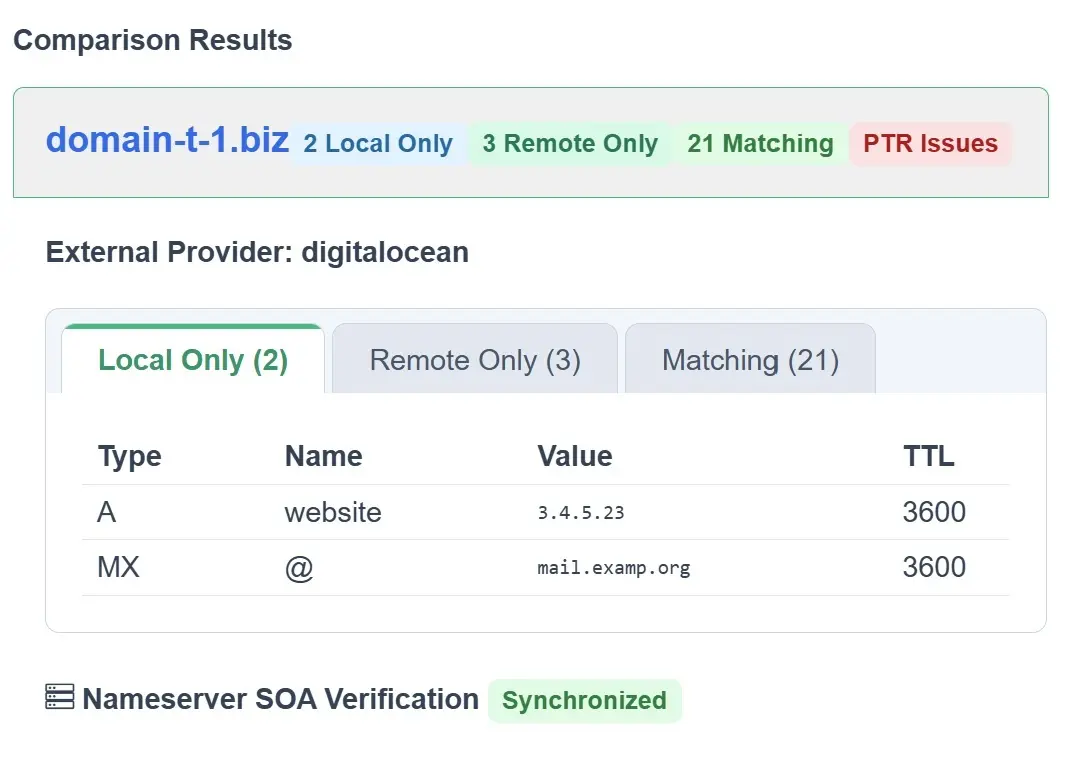
Side-by-side comparison shows exactly what differs between two configuration states, with additions, deletions, and modifications highlighted. During change review it makes approval concrete; during an incident it answers “what changed?” from one screen instead of from memory.
Bad Changes Can Be Undone
When a change does go wrong, the audit log already holds the prior value, and restoring it takes a few clicks. How far that recovery goes depends on which product you choose.
Product Options
DNS Change Management is available in both our SaaS offering and the full ResorsIT platform. The SaaS product provides a complete audit log with prior values and a few-clicks undo of any change. Screenshots and feature videos are here. The Platform includes that same audit-log undo and adds full Git-based version control; use the quick undo for a single bad change, or restore a domain’s records to any point in history when more has gone wrong.
A DNS record is one line of text with a lot of your business hanging off it. ResorsIT puts those lines under real change management. See what that looks like in practice on the DNS/IP Management product page.